

Creation of API Tokens for Technical Users
Last modified by Boris Folgmann on 2025/10/28 11:09
Introduction
If you create a Technical User for Rancher2 in the DevOps Portal, the credentials can only be used to log in to the Rancher2 UI. To interact with the Rancher2 REST API (Basic HTTP Authentication with a username and password) you have to manually create an API Token for your Rancher2 tech user first.
How to Create an API Token in Rancher2
- If not done yet, set up a Technical User in the DevOps Portal for Rancher2 and assign it to the intended projects. Don't forget to record the password, you will not be able to see it later.
- Log in to Rancher2 with the credentials of the Technical User. Since you need a different browser session for that, it's recommended to open an anonymous window in your browser for that.
- In the top right corner of the page, click on the icon ➡ and select Account & API Key
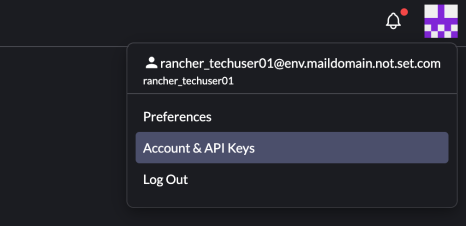
- On the Account and API Keys page, click on "Create API Key"
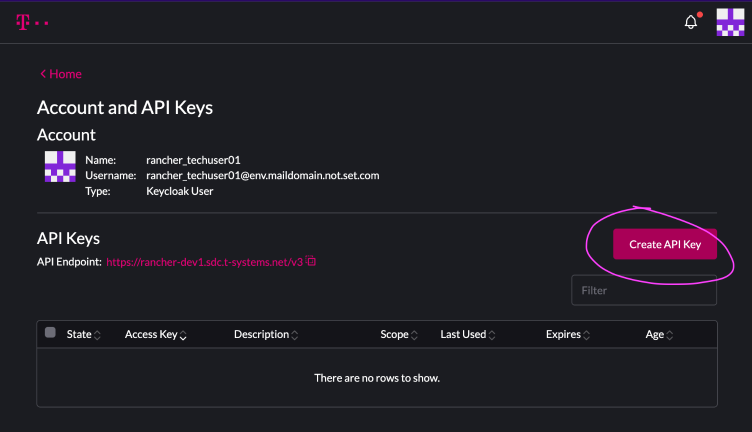
- Fill the description appropriately, set the Scope and Expiration and click on Create
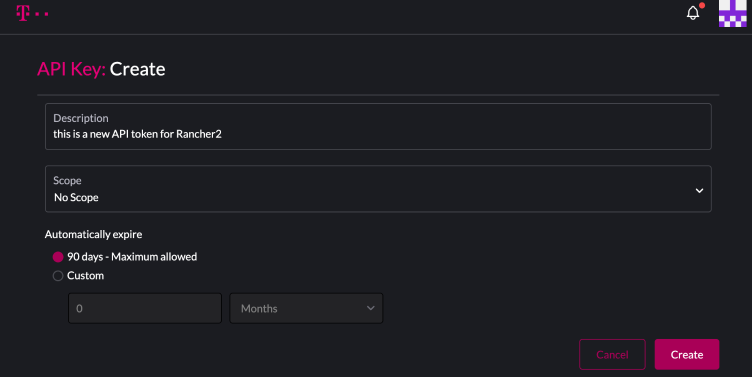
Copy and record the created token for the intended use, then click SAVE.
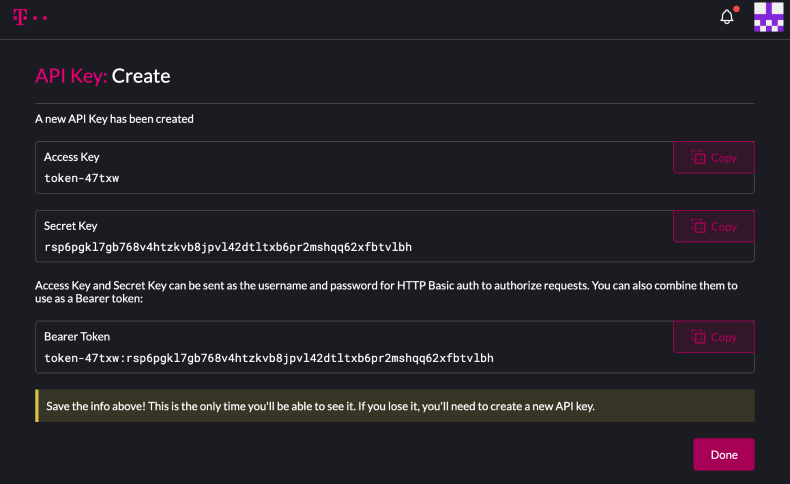
Note the details, because you will not be able to see them later
See https://ranchermanager.docs.rancher.com/api/api-tokens for usage